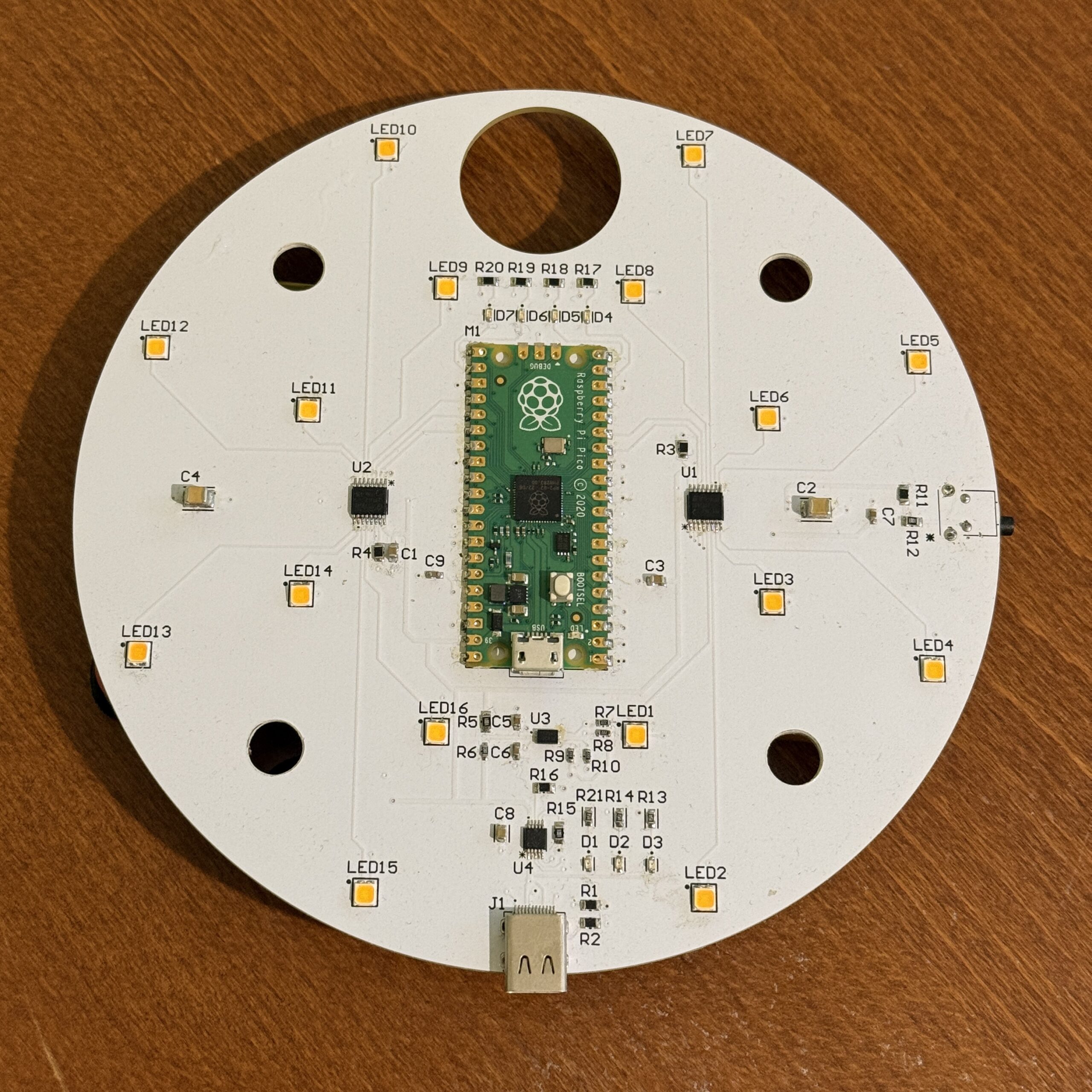
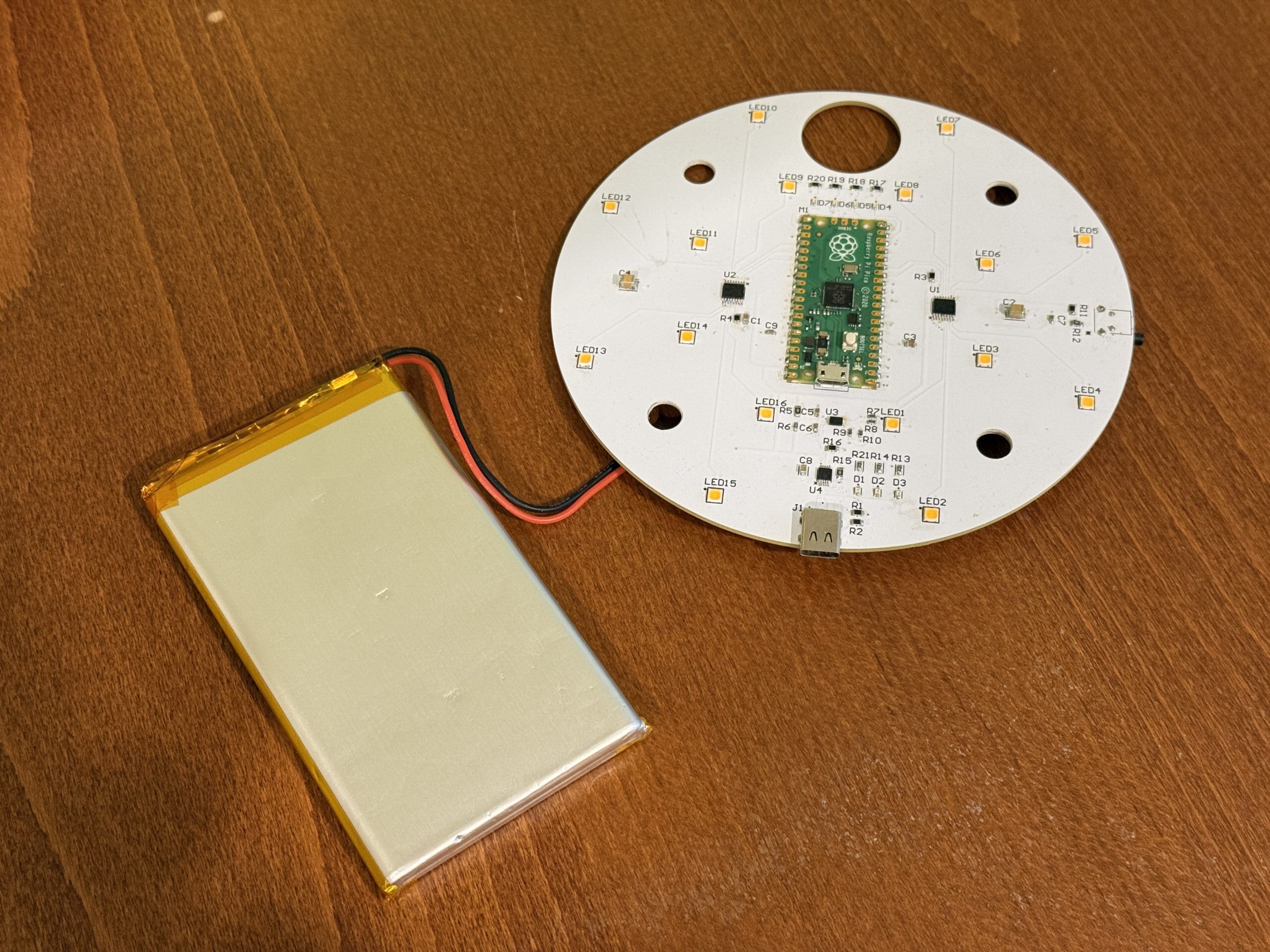
I recently designed and built the first revision of a custom PCB for a high-lumen camping lantern powered by a lithium battery. The goal was to create a compact, bright, battery-powered lantern while using the project as an opportunity to design a PCB myself from start to finish.
Although I work with many electrical engineers, this was the first PCB I designed on my own. It gave me a much better appreciation for component selection, circuit layout, power management, and the small design decisions that go into making a board work reliably.
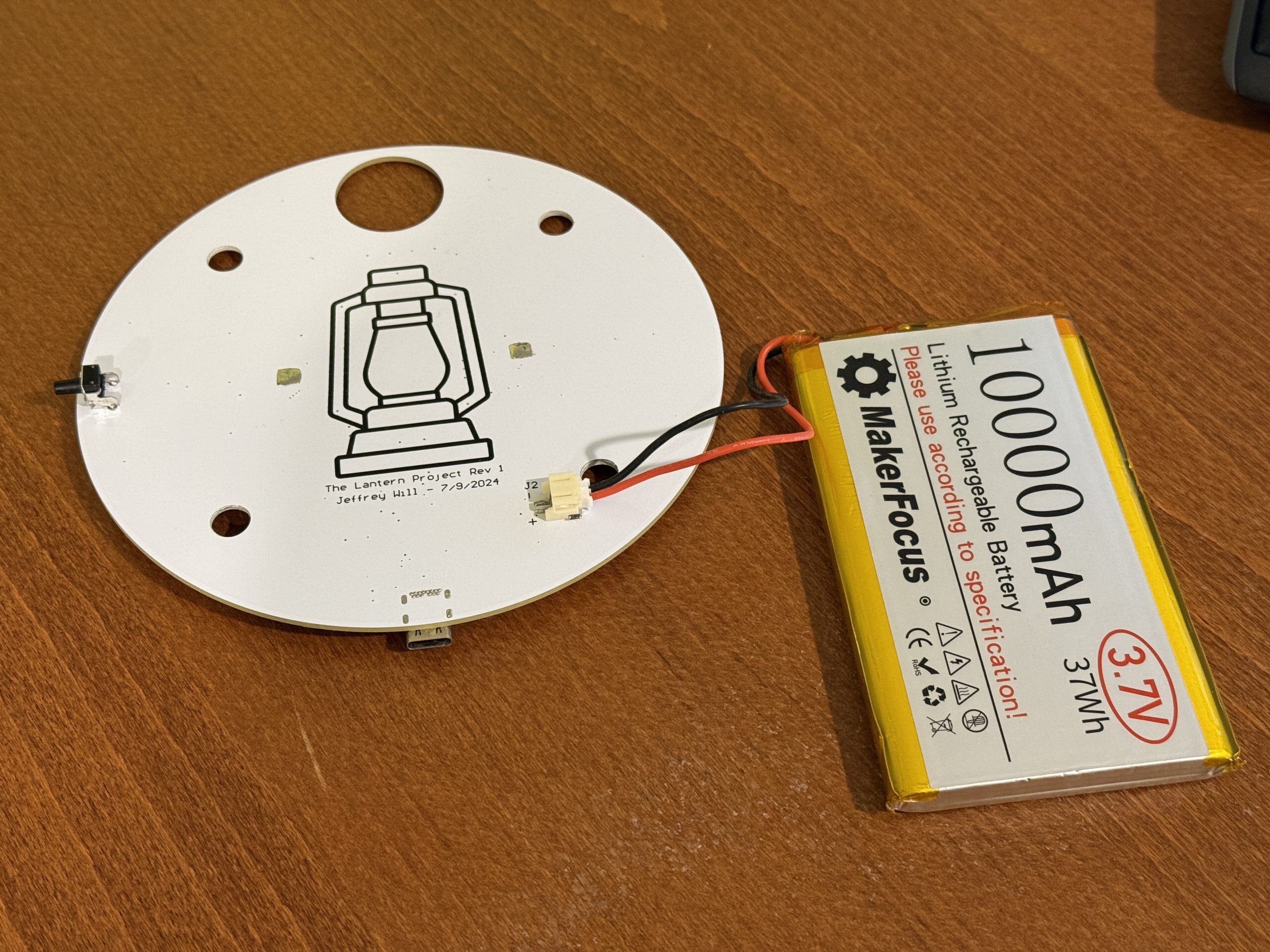
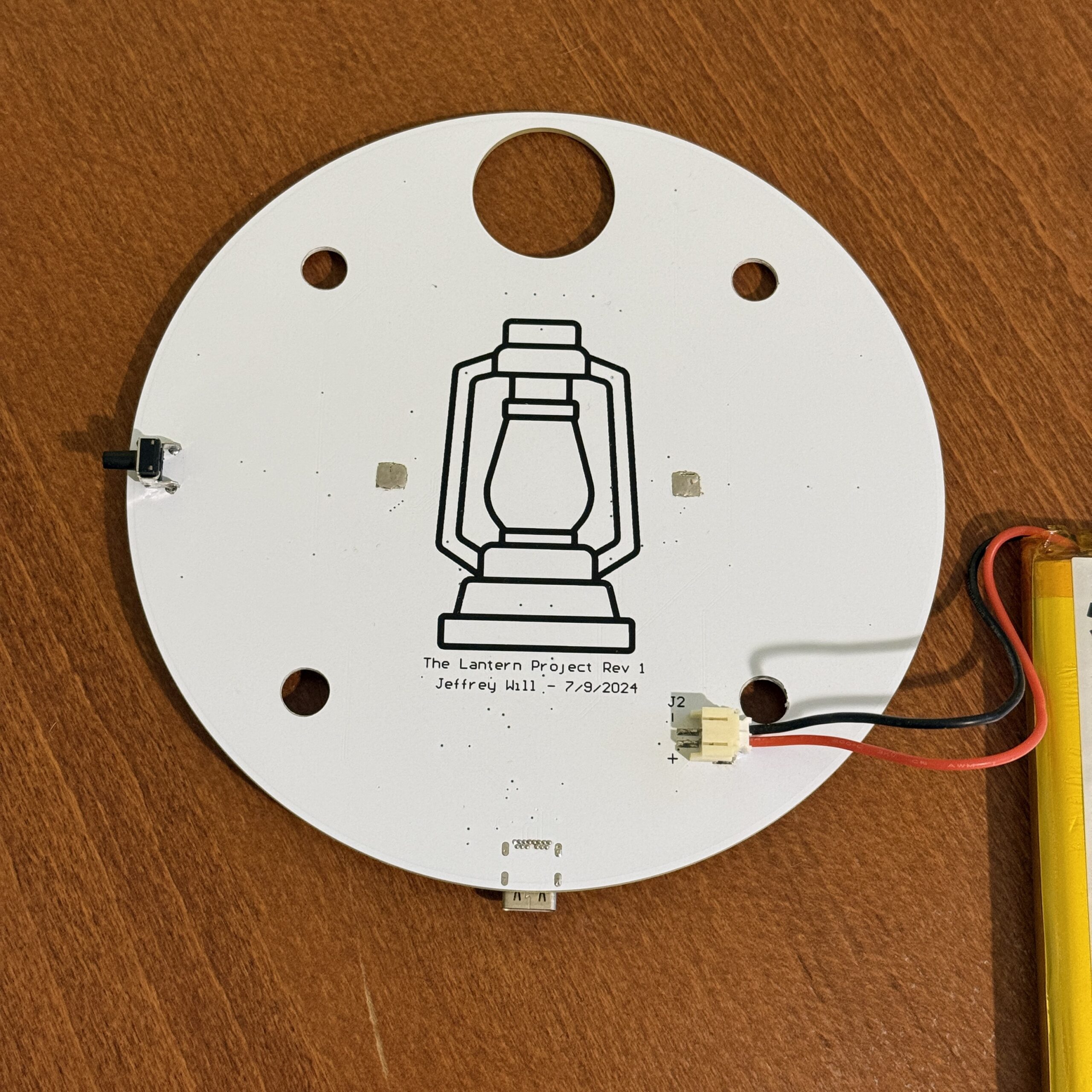
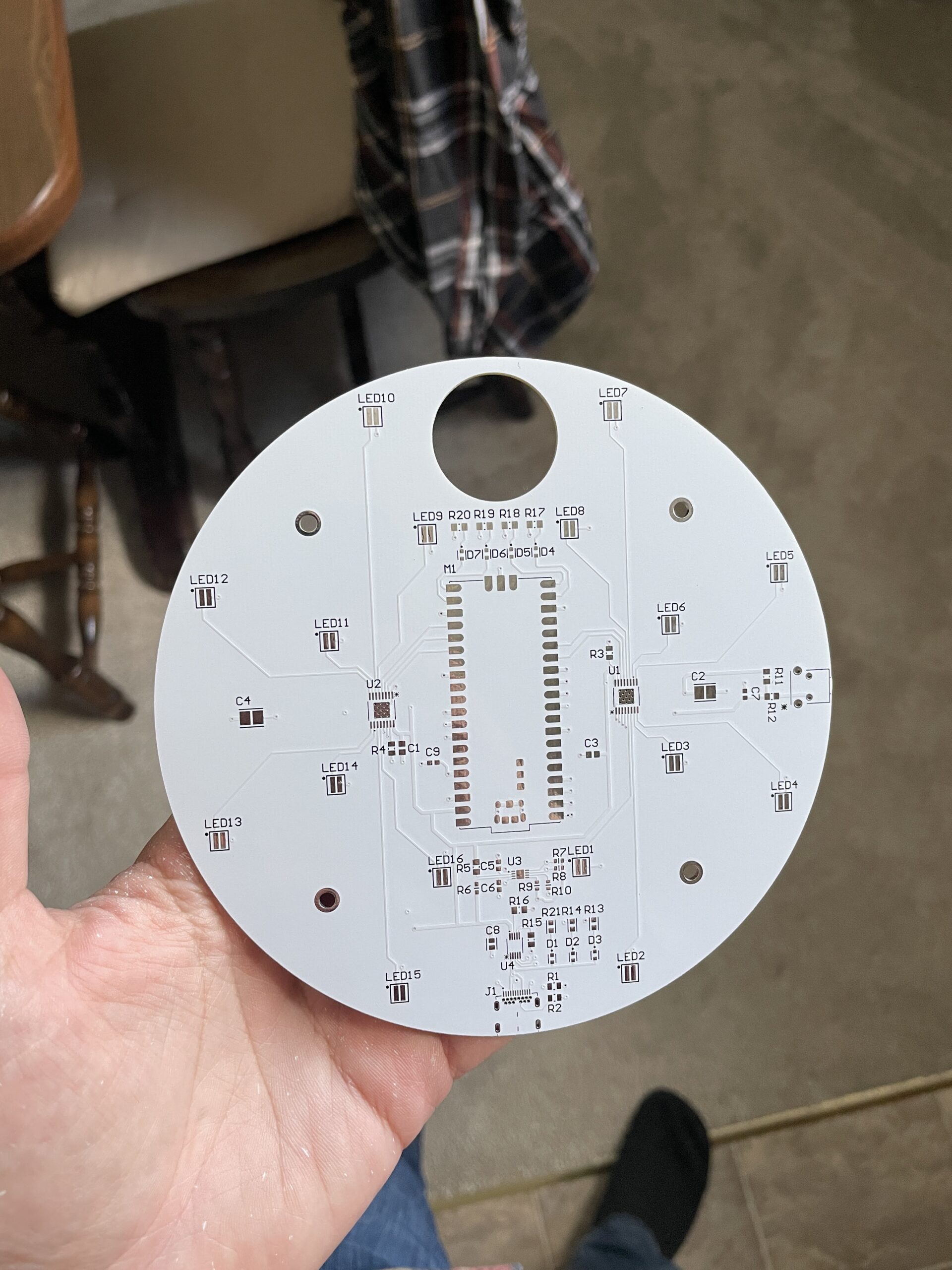
Rev 1 of the lantern is built around a Raspberry Pi Pico running MicroPython. The board is powered by a single-cell Li-ion battery and includes USB-C input, an MCP73833 battery charging IC, and a MAX17043 fuel gauge intended to report battery state of charge over I2C.
For the light source, the lantern uses sixteen white Cree 3030 LEDs arranged around the body of the lantern. These are driven by two LED8102 LED driver ICs. The Pico controls the LED groups using GPIO pins and adjusts brightness with two PWM outputs. A tactile pushbutton cycles the lantern through four modes: off, low, medium, and high brightness. I also included four small indicator LEDs to show battery level.
Overall, the basic lantern functionality worked well. The button-controlled brightness modes operated as intended, and the main LEDs were successfully controlled through the custom PCB. However, Rev 1 also revealed a few areas that need improvement. The MAX17043 fuel-gauge read logic was not working correctly in firmware, so the battery indicator was unreliable. More importantly, the Raspberry Pi Pico was not the best choice for this application because it uses too much power when idle. Since the firmware continuously loops instead of entering a true low-power sleep mode, the battery does not last as long as I would like when the lantern is off.
Even with those issues, I consider Rev 1 a success. The board worked, the lantern lit up, and I learned a lot by going through the full PCB design and build process myself. For Rev 2, I plan to select a more power-efficient microcontroller, fix the battery fuel-gauge implementation, and revise the mechanical design of the lantern as well.
This project was a great first step into custom PCB design, and it gave me a much more hands-on understanding of the tradeoffs involved in building a battery-powered embedded product.
Schematic:
Firmware:
from machine import Pin, PWM, I2C, Timer

button = Pin(2, Pin.IN, Pin.PULL_UP)

led12 = Pin(9, Pin.OUT)
led34 = Pin(8, Pin.OUT)
led56 = Pin(7, Pin.OUT)
led78 = Pin(11, Pin.OUT)
led910 = Pin(20, Pin.OUT)
led1112 = Pin(19, Pin.OUT)
led1314 = Pin(18, Pin.OUT)
led1516 = Pin(26, Pin.OUT)

soc_led1 = Pin(14, Pin.OUT)
soc_led2 = Pin(15, Pin.OUT)
soc_led3 = Pin(16, Pin.OUT)
soc_led4 = Pin(17, Pin.OUT)

# Brightness levels for PWM duty cycles
LOW = 49152  # 25% duty cycle
MEDIUM = 32768  # 50% duty cycle
HIGH = 0  # 100% duty cycle

State=0   #0 means that the light is currently off

# PWM pins for brightness control
led_pwm1 = PWM(Pin(10))  # Adjust pin as needed
led_pwm2 = PWM(Pin(27))  # Adjust pin as needed
led_pwm1.freq(25000)
led_pwm2.freq(25000)

#I2C pins
i2c_interface = 0
sdapin = Pin(0)
sclpin = Pin(1)

#Fuel Gauge
Address_REG = 54

VCELL_REG = 0x02
SOC_REG = 0x04

i2c = I2C(i2c_interface, scl=sclpin, sda=sdapin, freq=400000)
buf = i2c.readfrom(Address_REG,SOC_REG)
SOC = (buf[0] + (buf[1] / 256.0))
SOC_precentage = ((SOC/256)*100)

##############################################################################

#Turn Off SOC Leds
def turn_off_soc_leds(timer):
    soc_led1.value(0)
    soc_led2.value(0)
    soc_led3.value(0)
    soc_led4.value(0)


#Battery Precentage Indication Function
def indication():
    if State <= 2:
        #buf = i2c.readfrom(Address_REG,VCELL_REG)
        #Voltage = (buf[0] << 4 | buf[1] >> 4) /1000.0

        buf = i2c.readfrom(Address_REG,SOC_REG)
        SOC = (buf[0] + (buf[1] / 256.0))
        SOC_precentage = ((SOC/256)*100)

        if SOC_precentage >= 0 and SOC_precentage <=25:
            soc_led1.value(1)
            soc_led2.value(0)
            soc_led3.value(0)
            soc_led4.value(0)
            timer = Timer(-1)
            timer.init(period=1000, mode=Timer.ONE_SHOT, callback=turn_off_soc_leds)

        elif SOC_precentage >= 25 and SOC_precentage <= 50:
            soc_led1.value(1)
            soc_led2.value(1)
            soc_led3.value(0)
            soc_led4.value(0)
            timer = Timer(-1)
            timer.init(period=1000, mode=Timer.ONE_SHOT, callback=turn_off_soc_leds)

        elif SOC_precentage >= 50 and SOC_precentage <= 75:
            soc_led1.value(1)
            soc_led2.value(1)
            soc_led3.value(1)
            soc_led4.value(0)
            timer = Timer(-1)
            timer.init(period=1000, mode=Timer.ONE_SHOT, callback=turn_off_soc_leds)

        elif SOC_precentage >= 75 and SOC_precentage <= 100:
            soc_led1.value(1)
            soc_led2.value(1)
            soc_led3.value(1)
            soc_led4.value(1)
            timer = Timer(-1)
            timer.init(period=1000, mode=Timer.ONE_SHOT, callback=turn_off_soc_leds)

    else:
        soc_led1.value(0)
        soc_led2.value(0)
        soc_led3.value(0)
        soc_led4.value(0)

######################################################################
#LED's On and Off Function

def led_on():
    led12.value(1)
    led34.value(1)
    led56.value(1)
    led78.value(1)
    led910.value(1)
    led1112.value(1)
    led1314.value(1)
    led1516.value(1)

def led_off():
    led12.value(0)
    led34.value(0)
    led56.value(0)
    led78.value(0)
    led910.value(0)
    led1112.value(0)
    led1314.value(0)
    led1516.value(0)

######################################################################
while True:
    if button.value() == 0:
        indication()
        if State==0:
            led_on()
            led_pwm1.duty_u16(LOW)
            led_pwm2.duty_u16(LOW)
            while button.value() == 0:
                State=1
        elif  State==1:
            led_on()
            led_pwm1.duty_u16(MEDIUM)
            led_pwm2.duty_u16(MEDIUM)
            while button.value() == 0:
                State=2
        elif  State==2:
            led_on()
            led_pwm1.duty_u16(HIGH)
            led_pwm2.duty_u16(HIGH)
            while button.value() == 0:
                State=3
        else:
            led_off()
            while button.value()== 0:
                State=0
Leave a Reply